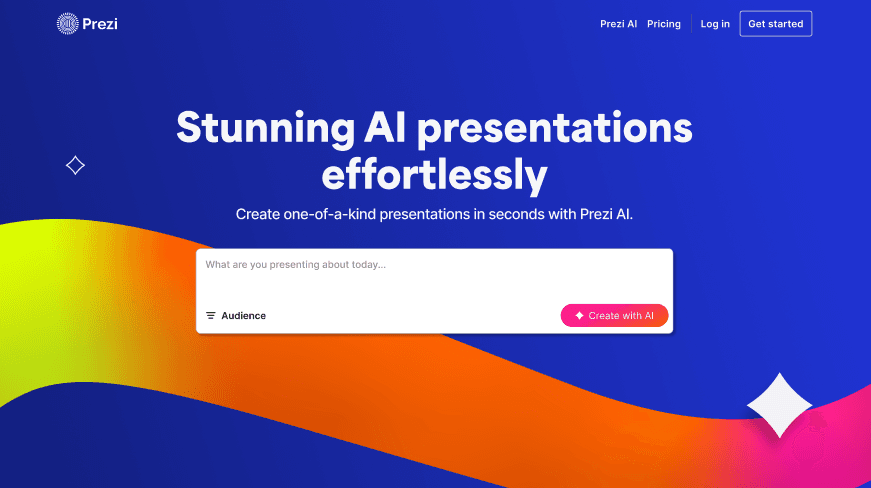
Prezi
Create captivating presentations with dynamic, interactive visuals.
7,985
Votes
11,574
Views
5,278
Bookmarks
About
Prezi is a standout in the world of presentation tools, revolutionizing how we create and deliver presentations. Designed with AI technology, Prezi offers a unique approach that moves beyond traditional slide formats. It caters to a variety of audiences, whether you're presenting in a business setting, an academic environment, or even personal gatherings. Prezi simplifies the process of crafting visually compelling presentations that can captivate any audience.
Key Features
- AI-Powered Design: Prezi AI assists in writing, designing, and illustrating presentations, making it easier to create engaging content without the need for templates.
- Dynamic Visuals: Offers over 1 million images, GIFs, and stickers to enhance the visual appeal of presentations.
- Interactive Elements: Allows for seamless integration of charts, tables, and other data visualization tools to bring your data to life.
- Real-Time Collaboration: Features like commenting and brand kits enable teams to work together effectively and maintain brand consistency.
Pros
- User-Friendly Interface: The intuitive design makes it accessible for users of all skill levels, reducing the time needed to create presentations.
- Enhanced Engagement: Non-linear presentation style keeps the audience engaged, perfect for holding attention during complex topics.
- Versatile Usage: Suitable for various purposes, from educational presentations to business pitches, offering flexibility in application.
- Security and Privacy: SOC2 compliance ensures that your data is secure, with privacy controls to manage who can view and edit presentations.
Cons
- Learning Curve for New Users: While intuitive, new users may initially find the non-linear format challenging compared to traditional slides.
- Limited Third-Party Integrations: Currently, it offers limited integration with other software platforms.
- Occasional Performance Issues: Users may experience occasional lag, particularly with large or highly detailed presentations.
Who Uses It
- Educators: Leveraging Prezi for creating interactive lessons that engage students and simplify complex concepts.
- Corporate Trainers: Using the tool to design training modules that are both informative and visually stimulating.
- Sales Professionals: Crafting impactful sales pitches that capture client interest and drive engagement.
- Event Planners: Utilizing Prezi to present event plans and proposals in an appealing format.
- Uncommon Use Cases: Employed by therapists to illustrate therapy sessions; Used by non-profits for visually compelling fundraising presentations.
Pricing
- Standard: $7 per month (billed annually). Ideal for personal use—create and share dynamic presentations, videos, and infographics with privacy controls and unlimited projects.
- Plus: $19 per month (billed annually). Designed for expert communicators. Includes unlimited Prezi AI, PowerPoint imports, PDF export, premium images, desktop access, and more.
- Premium: $29 per month (billed annually). Best for business professionals—adds analytics, advanced training, and full Plus features.
You may also like
More tools in Business Tools

Ipic.ai
AI-powered image enhancement for professionals and hobbyists alike.

super.AI
Automate complex document tasks with precision and efficiency.

Tom's Planner
Create efficient project plans in a breeze with Tom's Planner's AI-powered Gantt charts. Experience the future of project management by letting AI take the reins—no more manual entry! Just describe yo

Smartsheet
Streamline workflows, automate tasks, enhance team collaboration.
Kira Systems
Streamline contract review with AI-driven precision and customization.
AI Interior Designer By REimagineHome
Transform your real estate images with the cutting-edge AI Interior Designer tool, designed to breathe new life into every space. Experience the future of home visualization with our comprehensive sui

Align AI
Streamlines AI strategy alignment with business objectives.

Tektonic AI
Streamline sales and revenue operations with advanced AI-driven automation.

Outreach
Optimize sales, enhance workflows, boost efficiency with AI-powered tools.
GPT for Sheets and Docs
Elevate productivity in Sheets and Docs with AI-powered automation and creativity.

adam.ai
Maximize your business success with adam.ai, the intuitive meeting management platform designed to enhance your team's productivity. Our intelligent solution streamlines the meeting process, granting

Looq AI
Revolutionize image analysis with advanced AI-powered recognition and insights.