RowSpeak
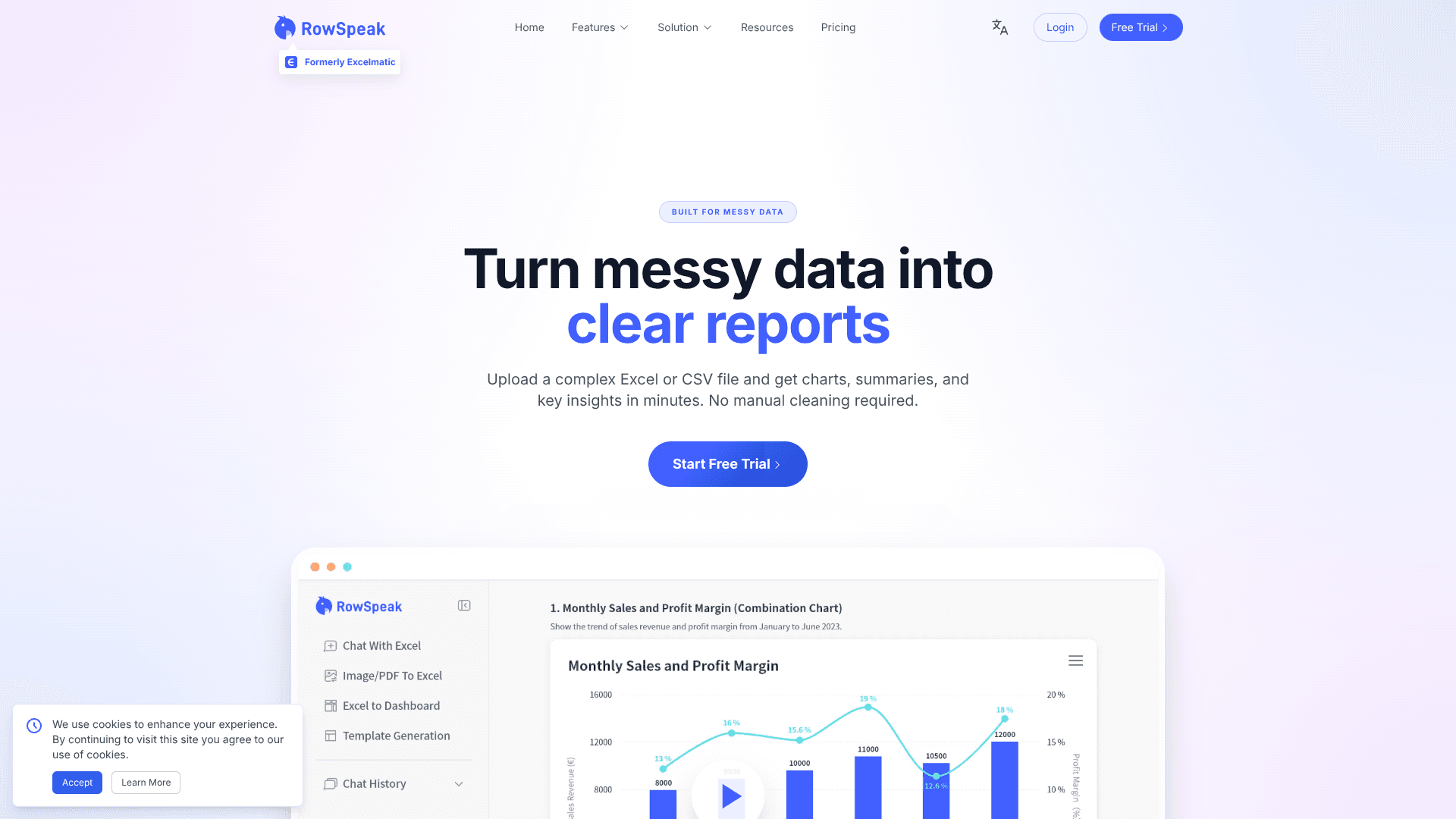
Turn messy spreadsheets into clear, ready reports.
15,896
Votes
19,078
Views
11,898
Bookmarks
About
RowSpeak focuses on turning messy business spreadsheets into clear, report-ready analysis using AI. Formerly known as Excelmatic, it ingests Excel or CSV exports, automatically parses structure and business meaning, then returns charts, summaries, anomalies, and key metrics in minutes. It is aimed at operators, finance and growth teams who live in files, want fast answers, and do not want to build a full BI stack or babysit a general-purpose chatbot.
Key Features
- AI Spreadsheet Assistant: Users can ask questions about Excel-style data in plain English and get instant aggregations, filters, and charts without formulas or SQL.
- Messy Data Understanding: Automatically detects headers, dimensions, measures, and likely business semantics, even with inconsistent naming, missing values, or shifting export formats.
- Business-Aware AI Analysis: Infers core metrics, highlights trends, flags anomalies, and organizes output around common business questions instead of only listing raw tables.
- Report-Quality Output: Generates charts, structured text summaries, and “numbers with context” that look ready for slide decks, email updates, or Slack threads.
- AI Spreadsheet Generation & Conversion: Converts images or PDFs of tables into editable Excel, turns spreadsheets into interactive dashboards, and can generate spreadsheet templates from natural language prompts.
Pros
- Huge time savings for operators: Routine spreadsheet clean-up and pivoting that once took hours can drop to a few minutes per file.
- Friendly for non-analysts: Plain-language interactions and guided UI suit users who are not fluent in advanced Excel or BI tools.
- Strong data protection posture: SOC 2 Type II, GDPR and CCPA alignment, plus end-to-end encryption, suit financial and operational data.
- Flexible deployment options: Cloud product with on-premises deployment available for organizations with strict security or compliance rules.
Cons
- Limited public pricing detail: Exact plan tiers and usage limits are not clearly listed in the publicly available materials.
- File-centric focus: Best suited to Excel and CSV exports, so it complements rather than replaces warehouse-centric BI for some companies.
- AI outputs still need review: Metric definitions and field mappings occasionally need correction, which requires users to validate key results.
Who Uses It
- E-commerce operations teams: Interpreting GMV, refunds, ad spend, channel performance, and margins from platform exports.
- Marketing and growth teams: Reviewing campaign performance, conversion trends, ROAS, and CAC from ad platform and CRM dumps.
- Finance and business operations: Turning revenue, cost, and profitability spreadsheets into clear KPI dashboards and narrative summaries.
- Sales operations and RevOps: Analyzing pipeline health, win rates, and segment performance from recurring CRM exports.
- Agencies and client service teams: Converting client-exported spreadsheets into board-ready reports without rebuilding analysis from scratch.
- Uncommon Use Cases: Used by customer success teams to track account health from service and usage logs; adopted by solo founders to prepare investor-ready metrics without hiring an analyst.
Pricing
- Essential: $9.90 per month; includes 150 chat messages per month, 5 uploaded files per chat, 50 MB file upload limit, chat history saved for 180 days, 150 image-to-excel conversions per month, 10 excel-to-dashboard conversions per month, 20 editable blocks per dashboard, 4 dashboard themes, basic analysis, all charts, template generation, 500 MB storage, Excel downloads, chart downloads, and email support.
- Professional: $29.90 per month; includes everything in Essential, plus unlimited chat messages, 10 uploaded files per chat, 100 MB file upload limit, chat history saved for 360 days, unlimited image-to-excel conversions, 30 excel-to-dashboard conversions per month, 30 editable blocks per dashboard, 6 dashboard themes, model analysis and prediction, custom themes, 1 GB storage, and exclusive support.
- Premium: $59.90 per month; includes everything in Professional, plus 30 uploaded files per chat, 300 MB file upload limit, 100 excel-to-dashboard conversions per month, unlimited editable blocks, all dashboard themes, and 10 GB storage.
- Annual billing: Save 17% with yearly billing.
You may also like
More tools in AI Chatbots

UiPath
Streamline workflows with AI-driven automation and seamless integration.

One AI
Boost website engagement and sales with adaptive AI-driven interactions.

Spoke.ai
AI-powered tool revolutionizes team communication and project management.

Tektonic AI
Streamline sales and revenue operations with advanced AI-driven automation.

Ada
Revolutionize customer service with AI across all digital platforms.

Retell AI
Create lifelike AI voice agents, deploy anywhere, analyze real-time.
MyMemo AI
Transform digital chaos into an organized, AI-enhanced knowledge oasis.

Inworld
Elevate game development with dynamic NPCs, immersive worlds, and AI-driven content creation.
AI Meal Planner
Personalized meal plans tailored to individual dietary needs.

Whoop
Optimize fitness, sleep, and recovery with real-time health insights.

Hume AI
Transforms AI with emotional intelligence for natural, empathetic interactions.

Lutra AI
Automate complex workflows seamlessly with AI-driven efficiency.