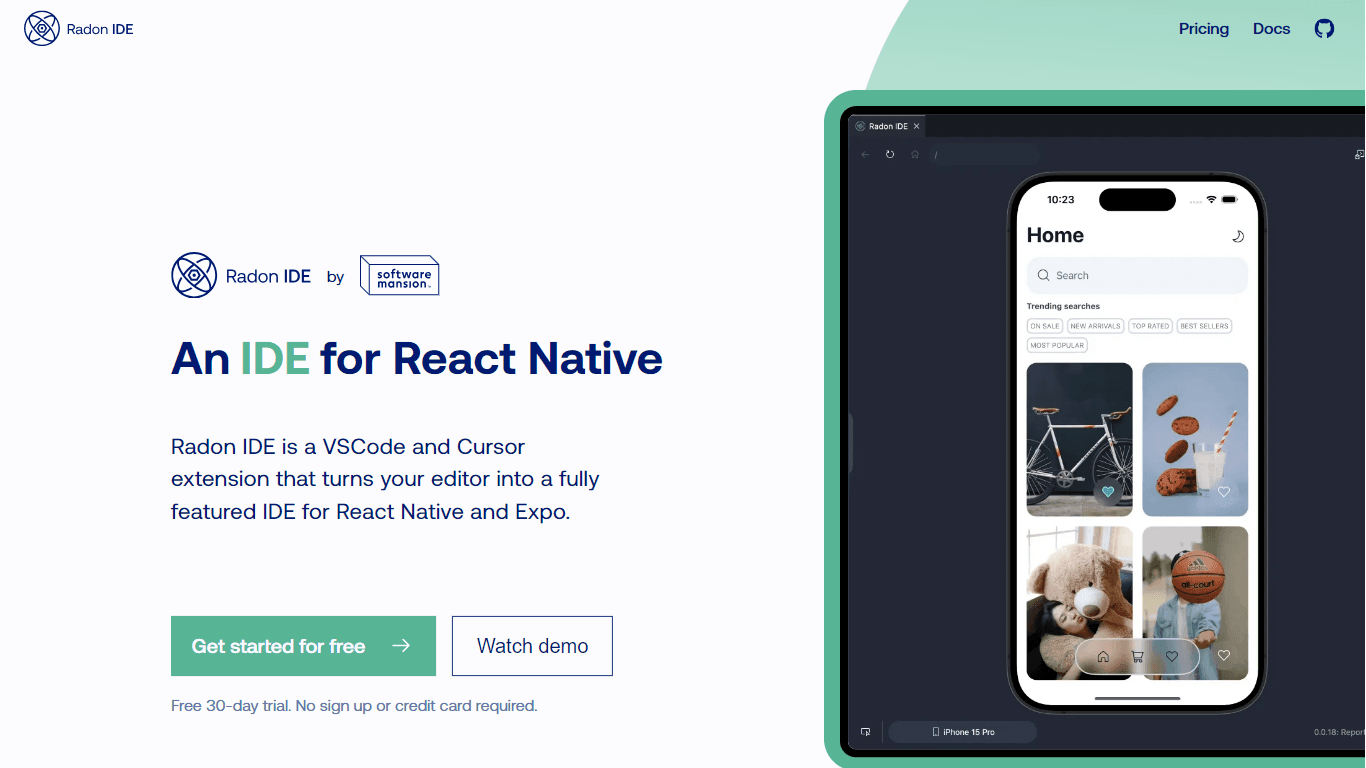
Radon IDE
Radon IDE is a powerful extension for Visual Studio Code and Cursor that transforms your coding environment into a fully featured Integrated Development Environment (IDE) specifically designed for Rea
15,378
Votes
19,573
Views
11,857
Bookmarks
About
Radon IDE is a powerful extension for Visual Studio Code and Cursor that transforms your coding environment into a fully featured Integrated Development Environment (IDE) specifically designed for React Native and Expo. This tool enhances the developer experience by allowing users to preview their applications directly within the editor, making it easier to see changes in real-time as they code. The integration of iOS Simulator and Android emulator within the IDE means developers can test their applications without switching between multiple windows, streamlining the development process significantly. The target audience for Radon IDE includes React Native developers who are looking for a more efficient way to build and debug their applications. By providing a seamless experience that combines coding, testing, and debugging, Radon IDE caters to both seasoned developers and those new to React Native. The tool is particularly beneficial for teams working on complex projects where quick iterations and immediate feedback are crucial for productivity. One of the unique value propositions of Radon IDE is its ability to integrate various essential tools into a single environment. Features like the built-in inspector, debugger, and network inspector allow developers to manage their workflow without the need for additional software. This integration not only saves time but also reduces the cognitive load on developers, enabling them to focus on writing code rather than managing multiple tools. Key differentiators of Radon IDE include its tight integration with React Navigation and Expo Router, which simplifies navigation within applications. The ability to adjust device settings on the fly and inspect network requests directly from the editor further enhances the user experience. Additionally, the screen recording feature allows developers to capture and review their interactions with the application, making it easier to identify and fix bugs. Technically, Radon IDE leverages the capabilities of Visual Studio Code and Cursor, utilizing their existing frameworks to provide a robust development environment. The extension is designed to be user-friendly, requiring minimal setup while offering powerful features that cater to the specific needs of React Native developers. With its focus on improving the developer experience, Radon IDE stands out as a valuable tool in the React Native ecosystem.
Key Features
- Integrated iOS Simulator and Android Emulator: Test your applications directly within the IDE without switching windows, making development faster and more efficient.
- Built-in Inspector: Easily inspect elements and jump to the corresponding code file, simplifying the debugging process and helping you understand your project structure better.
- Debugger with Breakpoints: Set breakpoints in your code effortlessly to debug your React Native applications, allowing you to identify issues quickly and effectively.
- Router Integration: Navigate through your application's structure seamlessly with support for React Navigation and Expo Router, enhancing your workflow and saving time.
- Network Inspector: Monitor and inspect network requests directly in the IDE, making it easier to troubleshoot issues related to data fetching and API calls.
FAQ
What is Radon IDE?
Radon IDE is an extension for Visual Studio Code and Cursor that provides a complete development environment for React Native and Expo applications.
How does Radon IDE improve my development process?
It integrates essential tools like simulators, inspectors, and debuggers into one environment, allowing you to code, test, and debug without switching between different applications.
Can I test my app on both iOS and Android?
Yes, Radon IDE includes both an iOS Simulator and an Android Emulator, so you can test your applications on both platforms directly within the IDE.
Is there a built-in way to inspect elements?
Yes, Radon IDE has a built-in inspector that lets you click on elements in the preview and jump directly to the corresponding code.
What features help with debugging?
Radon IDE allows you to set breakpoints in your code and automatically stops at runtime exceptions, showing you the exact line of code where issues occur.
Can I adjust device settings while developing?
Yes, you can change device settings like text size and light/dark mode directly from Radon IDE without needing to switch windows.
You may also like
More tools in Other

WriteSmart
WriteSmart is an AI-powered tool that generates personalized and thoughtful comments to add value to conversations and build relationships on LinkedIn. With WriteSmart, you can boost engagement, warm

Postfluencer
Postfluencer is a cutting-edge online platform designed to empower individuals in enhancing their personal branding on Linkedin. With the capability to generate over 60,000 posts for users, Postfluenc

AI Img
aiimg.me is a comprehensive platform that integrates advanced AI imaging technologies to provide high-quality image generation, editing, and enhancement services. It allows users to create images from
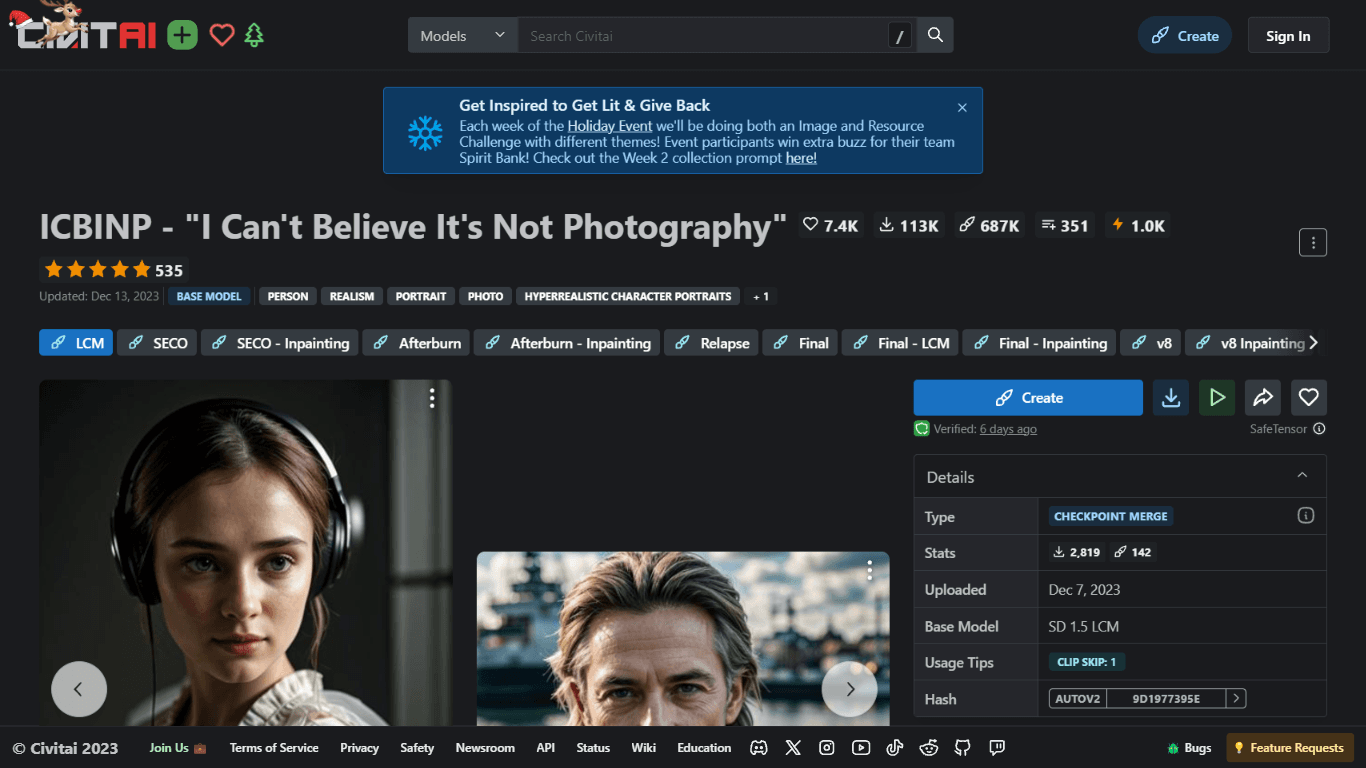
ICBINP | Civitai
Experience hyperrealistic image generation with ICBINP - "I Can't Believe It's Not Photography" - a powerful checkpoint for the Stable Diffusion model available on Civitai. The ICBINP LCM checkpoint i

Yepp AI
Yepp AI is an innovative platform that brings the power of artificial intelligence to marketing. With this platform, businesses can tap into the wealth of data they already have and leverage it throug

MuseNet
MuseNet is a groundbreaking deep neural network that revolutionizes the way music is composed. With MuseNet, you have access to a powerful tool that can generate beautiful and intricate 4-minute music

Spikes Studio
Spikes helps creators extract captivating shorts from any video. Automatically get a title, description, hashtag recommendations, auto-captions, AI styling and quickly edit. Grow and give your audienc

SuperU AI
A nocode tool to create voice AI agents for customer communications.

ZAVATA
ZAVATA is revolutionizing the recruitment process with its sophisticated AI interview platform. With the motto "Automate Hiring with AI Interviewer," ZAVATA introduces a seamless hiring automation tha

Verbacall
A platform that automatically answers, qualifies, and follows up on calls 24/7.

Zeitpub
Zeitpub revolutionizes the publishing industry by offering an advanced AI writer that creates SEO-optimized and plagiarism-free content at an incredible pace. With just the click of a button, users ca

Tortus
Transform healthcare with AI-driven EHR efficiency and support.