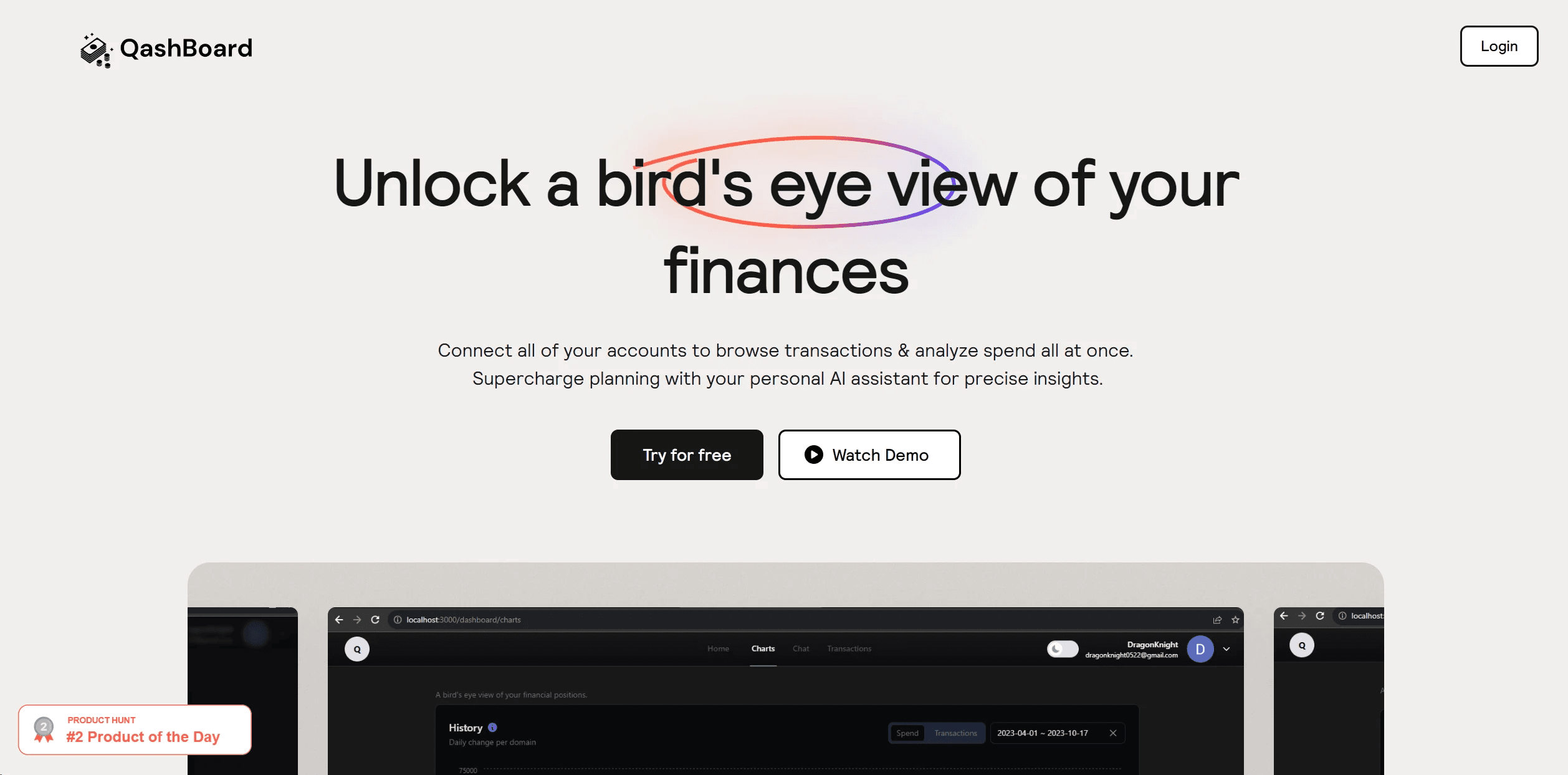
QashBoard
Streamline finances with AI insights and secure, customizable data management.
18,145
Votes
24,156
Views
11,685
Bookmarks
About
QashBoard caught my attention with its promise to provide a comprehensive view of one's finances in a single, streamlined platform. It is an AI-powered financial dashboard that connects various accounts to offer an organized view of transactions and financial health. What sets QashBoard apart is its integration with AI technology, making it not just a passive financial tracking tool but an active assistant in budgeting and strategic financial planning.
Key Features
- All-In-One Financial Overview: QashBoard uses Plaid to connect with your accounts, allowing you to visualize your financial situation through intuitive charts and exploratory tools.
- Interactive Q&A: The AskWallet feature acts like a ChatGPT for finance, letting you ask questions and receive actionable insights about your finances.
- Data Privacy Control: With QashBoard, you can bring your own database, meaning your financial data is stored where you want it, ensuring privacy and peace of mind.
- Custom Component Libraries: For Webflow developers, QashBoard offers the ability to create and share component libraries, streamlining the web development process.
Pros
- Holistic Financial Management: Aggregates all financial data in one place, from bank transactions to investments.
- AI-Powered Insights: Provides personalized financial advice and answers to specific queries through its conversational AI interface.
- User Data Sovereignty: Empowers users to own their data with a unique Bring Your Own Database (BYOD) approach.
- Developer-Friendly: Offers tools and libraries for Webflow developers, enhancing their workflow and offering community-sharing options.
Cons
- Browser Limitations: Some features, like copying components, are not available on all browsers, which might limit accessibility for some users.
- Learning Curve: The range of features and the DIY approach to data storage might require a period of learning and adjustment for new users.
- Niche Webflow Integration: While incredibly useful for Webflow developers, the component library feature might not be as valuable for those who don't use this platform.
Who Uses It
- Freelancers and Entrepreneurs: Managing their business finances and personal accounts in one place.
- Financial Enthusiasts: Those who enjoy deep dives into their financial habits and projections.
- Webflow Developers: Creating and sharing component libraries for streamlined web design processes.
- Tech-Savvy Families: Using joint dashboards for household financial management.
- Uncommon Use Cases: Educational institutions could use it for finance-related courses; Non-profits might adopt it for better fund management.
- Related:
- AI Startup Tools
- Best AI Chatbots
- AI Tools for Students
Pricing
- Free Plan: Start with the basic features at no cost.
- Hawk Plan: At $7 per month with a 14-day free trial, offering extensive dashboard features and unlimited chats.
- Developer Plan: A one-time fee of $3,000 for commercial use, including access to all components and the ability to self-host.
- Lifetime Access: For $205, billed once, get all features, early beta access, and additional sharing options.
- Pro Plan: At $40 per member, per month billed yearly, it’s geared towards those looking to build libraries for clients and the community.
You may also like
More tools in AI Chatbots

UiPath
Streamline workflows with AI-driven automation and seamless integration.

One AI
Boost website engagement and sales with adaptive AI-driven interactions.

Spoke.ai
AI-powered tool revolutionizes team communication and project management.

Tektonic AI
Streamline sales and revenue operations with advanced AI-driven automation.

Retell AI
Create lifelike AI voice agents, deploy anywhere, analyze real-time.

Ada
Revolutionize customer service with AI across all digital platforms.

Inworld
Elevate game development with dynamic NPCs, immersive worlds, and AI-driven content creation.
MyMemo AI
Transform digital chaos into an organized, AI-enhanced knowledge oasis.
AI Meal Planner
Personalized meal plans tailored to individual dietary needs.

Whoop
Optimize fitness, sleep, and recovery with real-time health insights.
Hume AI
Transforms AI with emotional intelligence for natural, empathetic interactions.

AI Trip Planner
AI-driven tool for personalized, efficient travel itinerary creation.