Cua sandbox
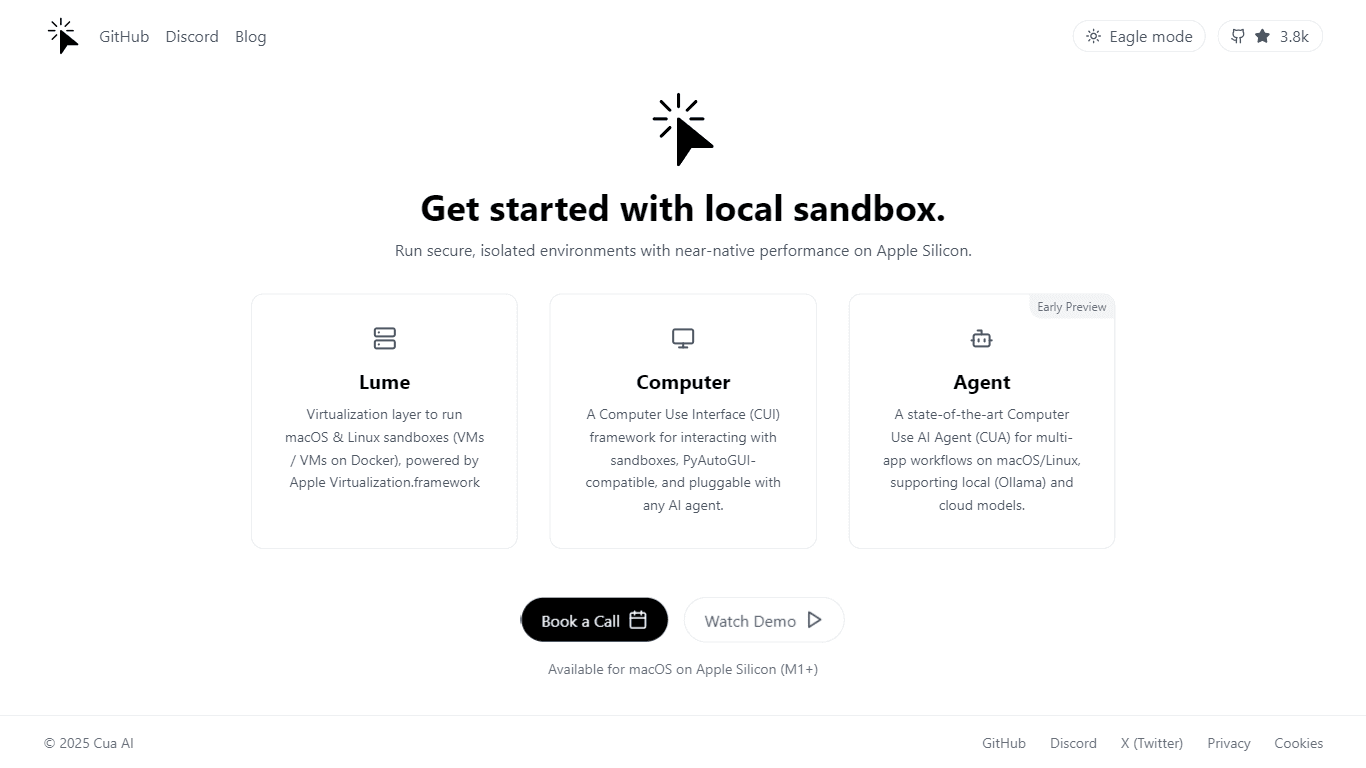
Cua is a powerful tool designed to create and run local macOS and Linux sandboxes with near-native performance on Apple Silicon. Its core functionality revolves around providing users with a seamless
14,489
Votes
21,259
Views
7,757
Bookmarks
About
Cua is a powerful tool designed to create and run local macOS and Linux sandboxes with near-native performance on Apple Silicon. Its core functionality revolves around providing users with a seamless environment to test and run applications without affecting their main operating system. This is particularly beneficial for developers, testers, and tech enthusiasts who need to experiment with different software setups safely and efficiently. The target audience for Cua includes developers, system administrators, and anyone interested in exploring macOS and Linux environments. By offering a user-friendly interface and robust performance, Cua caters to both novice users who are new to sandboxing and experienced professionals who require advanced features for their workflows. The tool's design emphasizes accessibility, making it easy for users to navigate and utilize its capabilities. Cua's unique value proposition lies in its ability to deliver near-native performance on Apple Silicon, which is a significant advantage over traditional virtualization solutions. This performance boost allows users to run multiple applications simultaneously without experiencing lag or slowdowns. Additionally, the integration of a computer-use interface (CUI) and a computer-use AI agent (CUA) enhances the user experience by automating workflows and streamlining tasks, making it easier to manage complex projects. Key differentiators of Cua include its focus on automation and user-friendly design. The combination of the CUI and CUA allows users to automate repetitive tasks, saving time and reducing the potential for errors. Furthermore, Cua's ability to run both macOS and Linux applications in a single environment sets it apart from other sandboxing tools, providing users with greater flexibility and options for their development needs. In terms of technical implementation, Cua leverages the capabilities of Apple Silicon to optimize performance and resource management. This ensures that users can enjoy a smooth and efficient experience while working within their sandboxes. Overall, Cua stands out as a versatile and powerful tool for anyone looking to explore or develop in macOS and Linux environments.
Key Features
- Create local sandboxes for macOS and Linux, allowing users to test applications safely without affecting their main system.
- Run applications with near-native performance on Apple Silicon, ensuring smooth operation even with multiple apps open.
- Utilize a computer-use interface (CUI) for easy navigation and management of applications within the sandbox.
- Leverage a computer-use AI agent (CUA) to automate repetitive tasks, saving time and reducing errors in workflows.
- Support for multi-app workflows, enabling users to run and manage several applications simultaneously in a single environment.
FAQ
What is Cua?
Cua is a tool that allows you to create and run local macOS and Linux sandboxes on Apple Silicon. It helps you test applications without affecting your main operating system.
Who can use Cua?
Cua is designed for developers, system administrators, and tech enthusiasts who want to explore macOS and Linux environments safely.
What makes Cua different from other sandbox tools?
Cua offers near-native performance on Apple Silicon and includes features like a computer-use interface and an AI agent for automating tasks.
Can I run multiple applications at the same time with Cua?
Yes, Cua supports multi-app workflows, allowing you to run and manage several applications simultaneously in your sandbox.
Is Cua easy to use for beginners?
Yes, Cua is designed to be user-friendly, making it accessible for both novice users and experienced professionals.
What kind of performance can I expect from Cua?
Cua provides near-native performance on Apple Silicon, ensuring smooth operation even when running multiple applications.
You may also like
More tools in Other

XLM
Discover the power of Cross-lingual Language Modeling with XLM, the original PyTorch implementation designed for pretraining language models that operate across multiple languages. XLM is a repository

Spikes Studio
Spikes helps creators extract captivating shorts from any video. Automatically get a title, description, hashtag recommendations, auto-captions, AI styling and quickly edit. Grow and give your audienc

Zeitpub
Zeitpub revolutionizes the publishing industry by offering an advanced AI writer that creates SEO-optimized and plagiarism-free content at an incredible pace. With just the click of a button, users ca

@kuki_ai
Welcome to the world of Kuki, an award-winning artificial intelligence designed to bring entertainment to the digital age. Dive into engaging conversations with AI that's crafted to provide not just r

Hermes 3
A tool to perform complex creative and analytical tasks with long-term context.

Tortus
Transform healthcare with AI-driven EHR efficiency and support.

MuseNet
MuseNet is a groundbreaking deep neural network that revolutionizes the way music is composed. With MuseNet, you have access to a powerful tool that can generate beautiful and intricate 4-minute music

YOUS
YOUS is a cutting-edge platform that revolutionizes the way people communicate and connect with each other. With its innovative AI-based translator, YOUS enables seamless audio and video calls between

SuperU AI
A nocode tool to create voice AI agents for customer communications.

PureCode.ai
A tool to automate coding tasks through codebase-aware code generation.

Integral Calculator - Wolfram|Alpha
The Integral Calculator provided by Wolfram|Alpha is a comprehensive tool designed for professionals, educators, students, and anyone with a need to solve complex mathematical integrals. By leveraging

PrompTessor
A tool that optimizes text for clarity, tone, and grammar without requiring prompt engineering skills.